
|
Last Updated 03/08/2018 Today I have a a technical post for you. Not technical in the sense that you need any technical skills though - queue sighs of relief. I’m going to break down how to fix your broken links & 404 errors without needing any technical skills at all. YAAY. Before I begin, this post applies to Weebly Users. My website is hosted & built through Weebly so I will base the post off this platform. Having said that, the first half of this post will be relevant if you use Wordpress, Squarespace, Wix or any other platform so if you are not sure what a 404 error is it is still worth reading through. This post covers: What Are Broken Links & 404 Errors? Why Are Broken Links & 404 Errors Important To Fix How To Identify Broken Links & 404 Errors On My Site? How To Fix Broken Links & 404 Errors In Weebly How To Set Up A Custom Weebly 404 Page What Are Broken Links & 404 Errors? Very simply this is any link that a user might follow on your website which takes them to a 404 error page instead of the page they were looking for. This will happen anytime you update or optimise a url. For example, say this post about getting a hobby was live on your website: OLD URL: http://tinybuddha.com/blog/hobby-can-boost-motivation-change-life/ It’s doing really well and you are getting traffic and shares. But, you do some keyword research and notice that the URL could be optimized to improve its ranking position. So, you update the url to: NEW URL: http://tinybuddha.com/blog/boost-motivation-with-hobby/ What you’ve done is created a new url, and the old url now goes to a 404 page (unless you have an automatic redirect set up, some wordpress sites do). Anywhere on your website where you have linked to the old url, and anyone else who linked to your old url, all of those links now go to a 404 error page. (This is the 404 page which you would get on a weebly website if you follow a broken link.) To check your 404 error page type your url into your browser and add some random letters at the end of it. For example: http://tinybuddha.com/kkkddd Top Tip: You can also optimise your 404’s like Tiny Buddha have done here. By simply placing links through to important or popular content you will decrease the number of users who leave your website from a 404 page. There are tons of ways you can optimize the page and I have included some at the bottom of this post where we cover: How To Set Up A Custom Weebly 404 Error Page The Reason Broken Links & 404 Errors Are Important To Fix There are a few reasons why fixing your broken links is important. Firstly user experience. It is very annoying, especially if your visitor is on a mobile to click through to content & find a 404 page. Short attention spans mean you don’t have a margin for error with your visitors. Most will just leave your site and may never come back. That’s a lot of wasted energy which has gone into getting that visitor to your site only to have them leave again. Another reason is for SEO purposes. Say your post had been referenced by several other websites, perhaps it has been shared hundreds, maybe even thousands of times (we can dream). If you don’t fix your broken links then all of this link equity stays with the old url and you’ve lost valuable positive signals pointing to your website. Redirecting your old URL to your new URL means that most of this link juice will flow through to your new page. How To Identify Broken Links & 404 Errors On My Site? Identifying broken links is SUPER EASY thanks to Google and their tool Google Webmaster Tools. If you haven’t signed up already then get your profile. It’s very easy to install and there is a tutorial here for you to follow. It might take Google a week or so to crawl your website and populate the data. But once it is populated navigate to the section; Crawl Errors This will let you know where your broken links are! Perfect. How To Fix Broken Links & 404 Errors In Weebly Once you have identified your broken links, navigate to your Weebly Website Dashboard. Select “Edit Site”. And now hit “Settings” In The Top Navigation Click The SEO Tab and scroll down to the redirect section. Here you can enter your old url and select the new page you want visitors to go to. Top Tip: For deleted pages if there is a closely related page send users there. If there is no closely related page send users to your homepage, or consider re-writing the page! I hope this post has inspired you to fix your broken links. It might not be the sexiest thing in the world, but improving your visitors experience is. So, check in every few months and make sure you aren’t frustrating your readers and losing valuable SEO juice in the process. If you want to go one step further and create a customer weebly 404 page, then check below. How To Set Up A Custom Weebly 404 Page Weebly's 404 error page is very basic, it has to apply to lots of different websites across a huge range of industries and brands so that makes sense. It does include a link through to your homepage to encourage visitors to click through and see if they can find what they are looking for, but it can be improved. A custom 404 page is also one of the indicators for Google that tells them your site is high quality. I'm not saying that by adding a custom 404 page suddenly your site will be prioritized and you'll see your ranks increase. However, putting that little bit of extra effort into your content is a good habit to get in to! It only takes a few minutes and you can have a custom 404 page which elevates the perception of your blog, website and / or business. To create a custom weebly 404 page Go to: Edit Site Click: New Page Name this page: 404 Tick: Hide In Navigation Now you can create whatever you like! And you can get really creative. Here are some of my favorite examples of 404 error pages for inspiration (note, these were not all created on Weebly). Ebay 404 Error Page - good for function!
As you can see there are lots of ways you can go with this page. The perfect page is one that stays on brand but still helps the user gets to where they want to go. So make sure you have a link through to your homepage, or even better your site categories to help your visitor easily find what they are looking for. That's it for this post! I hope this is a great reference for you. Good luck on your blogging journey and feel free to comment below or contact me and say hi.
11 Comments
Did you have a hamster as a kid? I did. We had Teaky, and Hammy From Hell (that one used to escape all of the time), Ham - Burger came a little later (But we used to call him Ham) & Snowy.. Decided to go conventional with her.
Jubious hamster names aside the strongest memory that has stuck with me from owning those hamsters was listening to the squeak of the hamster wheel turning round, and round and round at night. Squeeek Silence Squeeek Silence Squeeeeeek Poor little hamster. Stuck in a cage with only a squeaky wheel as entertainment. (p.s. I am dramatizing this a little for effect... our hamsters were very much loved!). The image of my hamster running round and round on his squeaky wheel has stuck with me. It’s the same feeling I get when I’m on the running machines at the gym (which is the reason I do yoga instead). And it’s the same feeling I get when I am scheduled down to a rigorous content generating schedule. In this post I’d like to share some top tips to help you drive traffic to your blog WITHOUT needing to feel like a hamster caught on a wheel. Because no-one wants to feel like that. We didn’t quit our 9-5, start blogging or start a business to feel trapped in a cage of our own making. It’s true that studies show that through creating more content your traffic will go up. Makes logical sense right? BUT, producing more is not the only way to generate more traffic to your blog. 1. Add Storytelling To Your Writing See what I did at the top there? I told you a little story about my hamster. If you are reading this sentence it means I got you this far down the page which means you are far more likely to make it down to the end of this post. The longer I can get you to stay with me, the less lonely I feel (jokes!), the more value I can offer which means you might take action - leave a comment, share this post or even join me on my email. Woohoo! That would be grand! Adding storytelling makes your writing more engaging. Two Examples: Without Storytelling; Cheryl is a copywriter who has several clients she needs to write content for today. She loves writing. With Storytelling; Cheryl gets up with a million ideas buzzing in her head. She can’t wait to get to her laptop & immediately pours a coffee, sits down at her desk and switches it on. It’s going to be a busy day writing content for her clients with the sun streaming through the window. This is just a short example but you can see that with just a few extra lines you can really paint the picture for your readers. Show don't tell. Take your audience on a journey and allow them to feel the mood of your writing rather than just telling them blandly. Instead of writing “Cheryl loves writing”, in the second example I am showing the reader through the excited way Cheryl starts her day writing. P.s. plug time. If you need content, find hundreds of amazing bloggers who can work on your project on Guest Bloggers Wanted. 2. Publish > Shout > Market I mentioned this concept in an article I wrote for for Rising Tide, I’ll mention it again. It’s important. Very rarely does content magically start getting hundreds of thousands of views and shares. I’ve seen people in tons of Facebook groups complaining that they’ve been blogging now for 4 whole months and they aren’t getting the results they expected. Um. Sorry, let me get my violin out. Do you know how long and hard top bloggers have worked to get to where they are? They spend hours and hours (if not days) crafting content, and then they spent 10 X the effort promoting it. And that doesn’t mean tweeting it out a couple of times & sharing it on a few Facebook group threads. These bloggers write hundreds of Guest Posts, they actively reach out to other bloggers to promote their content. They engage, network and work their freaking asses off. It’s great that you want to help millions of people with your wisdom, but the honor of doing so comes after learning not just how to write, but how to market. Sorry. I’ve written more about Guest Blogging here and here. And will be publishing a post soon about different ways you build links to your blog without Guest Blogging. Or, check out our guest blogging service and have us spark conversation around your product or service. Not sure you have time to market your posts? Get creative, bloggers come up with all kinds of ingenious ways to get the word out there. Check out this hack for getting Haro Traffic for example, it resulted in 238 + free subscribers. 
3. Reference & Link To Influencers In Your Post Adding examples and references in your blog post boosts its credibility. Why would anyone believe a word you have to say? Back it up with proof from other well known sources. There are a couple of rules to follow here:
Once you’ve written and published your post, reach out to those that you have included and let them know. The chances are, if it’s any good they will share it. Neil Patel links to around 100 - 150 different sources PER POST. By the way if you haven’t checked him out, he offers a fantastic resource for learning about Content Marketing. 4. Start With Keyword Research Use keyword research not just to for the SEO, but to improve your writing and relevancy. Google is the number one research method aside from word of mouth. You have access to all of that beautiful lovely data (slightly less accurate data now but we will get to that). Why wouldn’t you want to see what your audience is searching for and make sure your content is exactly what they need? Not only will your content do better in search (eventually when you’ve built a ton of links and social equity), but it will do better in social media as well. I’ve written in more depth about how to use Keyword Planner here. 5. Use Quality Images This applies to within your post and the images you use to promote it. The web is a visual place and with the rise of easy design software like Logojoy and Canva the competition is fierce. Your audience is far less forgiving now, they expect perfection. Once your business gets to a certain level and you can afford to outsource images, design is one area to do that. Quality images really do make a difference. They increase your click through from your social media channels, and they encourage users to come back to your website & sign up. T Harv Ecker, one of my favorite coaches likes to quote; How You Do One Thing Is How You Do Everything. We all subconsciously know this. So, don't skimp on your photos! Having a professionally designed logo also makes a huge difference. It is much easier to align the imagery on your website when you can tie them back to a central point - your logo. We always place our logo on our Pinterest graphics so that we have visual branding on our social media channels. Logo Joy is a great tool to use for creating your logo. It is intuitive and easy to use, the AI technology is like having a designer in your back pocket. 
6. Join Popular Facebook Groups
There are tons of great Facebook groups for you to join. For more groups you can join check out Hit The Gems post The Best Facebook Groups To Hang Out In If You’re An Entrepreneur And white corner creatives; 8 Facebook Groups Every Blogger Should Be A Member Of Each of these groups has special days when you can promote your content or sell your services. Make sure that you check out the other content on the thread and retweet / pin / comment on posts which you enjoy. I have gotten a lot of cross promotion from doing that, and it’s quite fun reading new posts. 7. Share Your Post On Pinterest If you aren’t on Pinterest yet then get on it now. I don’t buy into the idea that we need to be on all the social networks doing all the things. But don’t miss out on Pinterest. Disclaimer here, I haven’t had a chance to analyse the quality of traffic coming from there yet… so I can’t comment on that. But I can comment on volumes of traffic which bloggers are getting from Pinterest. And I can contest to that because I set up Pinterest two months ago and it has already sent me the same amount of traffic Instagram has in 6 months. So um, I’m going to run with Pinterest as a core channel to focus on for traffic generation. That being said, Facebook blows every channel out of the water and most of that traffic is coming from these group threads - so Facebook group threads is an important channel to focus on! P.s. if you are not following us on Pinterest come join. We also operate a group board called Viral Guest Posts, if you send me a message I can add you. 8. Map The Outline Before You Write Your Post (With research) If you want to increase visits to your blog then you need to be producing epic content. And that starts with mapping out your content before you start. You wouldn’t write a novel without having an idea of where it is going right? Well, it’s the same for your blog posts. Readers need to go on a journey with you through the post, it needs to feel cohesive and that only happens when there is some structure. It is also highly important to research before you write. Sometimes I think we can get in the habit of creating content in a vacuum. I know I have been guilty of that. I used to think my content needs to be original, innovative, 100% unique. But the reality is that innovation comes from smashing together different ideas, not from sitting in a dark room. So, before you begin your content do some searching on Google. Find out who has written about this topic and take notes! Buzzsumo is a great tool for finding out what is popular in your niche. Read more: 21 Types Of Content That Audiences Like To Share 9. Use Your Email Signature I learnt this tip from one of my previous clients the lovely Nadia Finer and I think it’s fab! Nadia’s email signature always contain loads of really useful information including her latest podcast. I’m pretty sure she used a plugin to generate this dynamically. I haven’t actually implemented this one yet but it is possible! If dynamically adding in your latest content is too technical for you then just review your static signature. Chances are you could improve it just by adjusting your call to actions. Make sure you link to your website & your core social media channels at a minimum. 10. Write Evergreen Content Evergreen means that it is useful for your audience throughout the year. This could be How To Guides for example. Any content which provides practical advice about a topic which isn’t time sensitive. Anything related to seasonality or specific events are topical posts which have a season to them and a specific time period where they will be read and shared. It’s up to you how you want to weight your Evergreen & Topical content. What I’ve seen larger brands do is create their Evergreen content first, with just a few topical posts thrown in to mix it up. Then once they have a strong base they start to add in more topical posts over time. At HostelBookers, by the 2nd year we were focusing heavily on events in different destinations and building out the editorial calendar around what was going on around the world. But that was because we already had a base of good evergreen content. I am using the same strategy for Ginger Marketing. So right now I am focusing on evergreen content and in the future, when we have more recourse we can start to mix up the editorial calendar. I would love to know in the comments below which tactic drives the most amount of traffic to your blog! Related Posts 3 Small Design Tweaks Which Will Have A Big Impact On Your Blog How To Choose A Blog Name You Won't Hate In 2 Years The Difference Between A Content Writer And A Copywriter Speedy Summary!
Keyword research shows that thousands of people are researching What Is SEO Copywriting on Search Engines like Google, Yahoo! and Bing each and every month.
Content should form the base of every single SEO Strategy out there!! Without high quality content you will find it very difficult to rank your site, so it's no wonder so many of you are wanting to fully understand the topic of SEO Copywriting. Whether you are thinking about hiring an SEO Copywriter or DIYing it yourself, we will cover the basics in this post, you never know, we might even give Jeff Bezos a run for his money.
What is the definition of SEO Copywriting?
SEO Copywriting is a unique style or class of writing used on the web. It is a method of writing words and phrases so that sites rank higher on search engine terms. (You know you have “made it” in the online world when your website appears on the first page of google),
The right SEO practices increase the quality of your website by making it user-friendly and easy to navigate. Google then rewards your website with more of that lovely, free traffic!
Now that we know what SEO Copywriting is how about we move ahead with some few SEO Copywriting Tips. SEO Copywriting Tips SEO Copywriting Tip 1: Ensure that you have a short but compelling Headline The first impression is said to be the lasting impression and while a book is not to be judged by it's cover, your target audience is unlikely to be interested in the rest of the blog post if the heading is nothing but captivating. The heading should also contain the keyword for the blog post. This assures the readers that the rest of the post is about the given topic and it encourages them to continue reading the post. Top Tip: Optimise your header image for Pinterest & pin your post via Tailwind for an extra boost in traffic. SEO Copywriting Tip 2: Perfect your blog’s/ website’s aesthetics Okay, so we know this isn't strictly a copywriting tip. But copy & imagery go hand in hand! Does your blog have an instant wow factor at first sight? Beauty is said to be skin deep for humans, but in the SEO “world” beauty means results or no results. No-one wants to hang around on a post which looks outdated, messy and unattractive. You don't have long to impress your readers,make sure your blog posts look great! Use fronts which are attractive & can be read easily. Ensure the text and imagery are formatted correctly and ensure consistency. Insert catchy photos and memes where necessary and don't be afraid to show some personality! Research has proven that more than 70% of online readers scan through content instead of reading it. You will be surprised to learn that even those who forward or share content to other readers have not gone through the content themselves. A beautiful and well-formatted blog “breeds” the right audience. SEO Copywriting Tip 3: Use power words to boost conversions to your blog Power words are words which connect with your reader on an emotional level. Examples of sentences using power words: 1. Free tips for SEO Copy writing. 2. Special offer to my followers. 3. Find the top secrets that guarantee successful weight loss. Power words excite and influence readers to continue reading the blog post and take a call to action, such as sharing the post with other readers, or signing up to your email list. SEO Copywriting Tip 4: Include external links in your posts Cite sources from other trusted bloggers and websites. Often blog owners are very cagey about linking out to other resources, but in fact this can improve your SEO! Linking out to high quality sources increases the quality of the readers experience because they can easily access more information on a given topic included in the post. Just make sure you are linking to relevant and high quality sources of information. SEO Copywriting Tip 5: Strike a balance between writing content that is engaging and interesting to the readers and writing for Google. At this point, you might be wondering what writing for google means. Allow me to break it down for you in the simplest of terms. The days when SEO copywriting was all about keyword density are long gone. Avoid throwing around your keywords in your content without reason. It will effect the flow of your content and make your copy hard to understand. Google cares a lot more about user experience, Make sure you cover your topic in depth, that the reader will come away knowing exactly the answer to their question. What is SEO Copywriting all about to you? Do you have some more tips that you would love to share? Comment below and let us know. Speedy Summary!
This post was proofread by Grammarly*
* This symbol indicates an affiliate link, we only recommend products & services that we personally use ourselves & deem to be of high value.
 If you are new to guest posting then the chances are you are a little bit worried about your pitch. Writing a good guest post pitch is something a lot of entrepreneurs have trouble with. But you don’t need to be concerned! Writing a guest post pitch is actually super, super easy. And the most important bit you need to concentrate on is the first section of your pitch. Have you ever heard the saying that people make a decision about whether they like you within a few seconds of meeting you? Well, this is the reason why your Guest Post pitch needs to start properly! A poor few sentences and you will have lost your reader forever and you will never be able to win them back. The only thing you need to remember when you write your guest post pitch is this: It is not about YOU, it is about YOUR READER! And this is the fundamental mistake that I see over and over and over and over (go on for infinity) times. I’ve even seen professionals make this mistake.  So, you might think “Yes, yes I know that, of course I put the reader first”. But, is this an assumption on your part or are you leading with yourself? Beginning a guest post pitch with yourself sounds like this; “Hi Tom, I am the founder of Jess Ads, we are an Award Winning Advertising Agency who focuses on getting our client's brands noticed. We have a very active and engaged community of fans and followers with over 20,000 monthly views. We would love to offer you a guest post titled: XXXXX, for your audience.” The chances are you’ve lost your reader before they even get past the first sentence. No-one cares about your business, at least, no-one cares about your business before they care about their own. Here is what a pitch looks like with the READER FIRST: “Hi Tom, I’ve read your post about XXX and I’d love to offer a follow-up Guest Post on the topic; XXXXXX. I really think your audience will get a kick out of hearing a deeper look into one of the points your post discussed. In fact, I even noticed a couple of your comments touched on this topic so I’m pretty sure they’d be interested. I am the founder of Jess Ads, we are an Award Winning Advertising Agency who focuses on getting our client's brands noticed. We have a very active and engaged community of fans and followers with over 20,000 monthly views.” Do you see the difference?  How about these two examples, which one would you reply to? Intro 1: Hi Kev, I followed you on twitter a few weeks ago, which led me to reading that post you published about the top SEO tips for 2017, interesting article. I agree, connecting with bloggers & influencers on a regular basis should be a top priority for a small business owner focusing on SEO - well Digital Marketing in general in fact ! Intro Example 2: Hi Kev, I am an expert Digital Marketing Professional with over 6 years of experience working with big corporate brands and small business owners. I am the founder of a Digital Marketing Agency and we are launching a tool right now to help business owners and bloggers connect. There is a clear winner here right! Example 1 engages Kev instantly and builds rapor, Example 2 sounds as if you want a round of applause from him. You can still include details about your business. You should definitely still include social proof like your community numbers, awards (if you have any), etc. BUT You only include that information AFTER you have your reader interested in what you have to say. Apply this to your next pitch, come back and let us know how you get on! Or, cut out all the fuss and order a guest post placement here >> http://www.gingermarketinghq.com/guest-blogging.html. Browse through the bloggers & influencers we have in our programme and order online! Every single blog has been vetted and approved - these are high quality bloggers with an engaged following.   Recent data has shown that 17% of brands create, publish and promote more than five pieces of content each week – and there’s no way to do that single-handedly, so here are our top 25 tools to help you create and promote better content for your business. Content Creation1. Pixabay offers copyright-free images, as well as the option to tip the image creators voluntarily. This is great for making blog posts really pop and for adding eye-catching images to your content, without spending loads on graphic design or subscription-based image sites. 2. Small SEO Tools – This site has loads of free and simple-to-use content tools, including a plagiarism checker, grammar checker, keyword positioning tools and more. Some of the tools are limited when using the free version, but with a 1,000-word limit on the plagiarism checker, it shouldn’t be too much of a hindrance. 3. Grammarly – An instant grammar and spelling checker available as an extension for most web browsers, which offers spelling and grammar suggestions as you type text in any website, including social media platforms. 4. Blog Post Templates – HubSpot has five free blog post templates available to download to inspire your marketing activities and help you to craft engaging blog posts. 5. Hemingway App – This app analyses content for readability and offers ways to make content more accessible and engaging. By making content simpler to read, you will see higher conversions and click-throughs. 6. Infogram – Create engaging infographics in minutes without any graphic design experience. Content Research 7. Google Keyword Planner is perhaps the most obvious tool for finding relevant keywords, suggesting long-tail keywords and providing data on the competition surrounding them. 8. BuzzSumo – A great tool allowing content creators to find top content for specific keywords and industries to see what everyone else is talking about, this allows you to see what information everyone else in your industry is peddling, then make it your own. 9. Ahref Content Explorer – Find the most shared content for keywords, subjects and topic across social media sites, then add your own spin on it and bring those readers to your website. 10. Quora – In-depth answers to questions, personal anecdotes and expert opinions in the form of a Q&A forum – easy to get lost in for hours, but essential for adding authority to your content.  Content Inspiration 11. Google Trends shows the latest stories, news and media being shared and read across the internet. This can be used as a general search tool, but also offers more specific results when keywords are entered. 12. The Blog Topic Generator by HubSpot takes three keywords of your choice and generates 5 blog titles using them – it can be a bit hit-and-miss when it comes to grammar and some of the results are hilarious to read, but it is great for giving you inspiration for blog post titles. 13. Forums, such as Reddit, which calls itself ‘the front page of the internet’ are great for finding the latest information and customer-led interests surrounding particular topics. The site is divided into ‘subreddits’ and there’s one for almost any subject you can think of. 14. Your own company’s feedback – if your customers and readers are always asking the same questions, maybe that’s the subject you need to address next. Even an FAQ can be a great piece of content if enough people are interested in the answers. Another use is a ‘behind-the-scenes’ piece offering insight into the company or processes. 15. ‘Now Trending’ sections on social media are often the first place popular topics can be seen. Scan the ‘trending’ sections on Facebook and Twitter to see what everyone is talking about, then add your own angle to the discussion. Managing the Process16. Social Oomph – This is a social media automation platform which allows you to schedule when your content is published and the tags used to identify your posts. This is great for companies with limited staff who want to save time but still have a social media presence. 17. Outbrain – Outbrain scans the web to find topics, stories and media related to your content, then displays links to your content alongside in a native way – this entices people who have already shown an interest in similar topics to view your content, automating your content promotion. 18. Word2cleanHTML – The ideal blogging tool, this site converts text written and formatted in Microsoft Word to a clean HTML script, saving you time when it comes to publishing and fixing those small formatting errors. 19. Hootsuite is another social media automation platform, which offers the ability to see all social media streams simultaneously and schedule times and dates for publishing content – another time saver. 20. Your company website’s content management system – if you have not yet installed content management, take a look at g2crowd’s recommended software.  Outsourcing21. Zapty is an online platform with tools to organise teams and individuals working on a project – this is great for keeping freelancers informed, updated and confident in their role within your company. 22. There are numerous sites offering experienced freelancers, content creators, copywriters and graphic designers, such as People Per Hour, UpWork and Content Gather. 23. Content writing agencies are another option, and a long-term relationship with either an individual freelancer or committed agency will lead to exceptional content with a deep understanding of your business as a foundation. 24. Content sharing and collaborating platforms including Google Docs and DropBox are free and offer the opportunity to work with creators, freelancers and agencies to create perfect content suited to your needs in one place – it’s also great for backing up content so that technology can’t lose it. 25. Stand Up Mail is a simple interface which sends an email to collaborators or freelancers each day to remind them of their tasks, it then offers them the opportunity to write a simple list of completed tasks which are sent back to the team leader – a super-simple progress management tool. Did we miss your favourite tool? Let us know in the comments what platform has been the key ingredient in your content marketing strategy!   If you want to hire a writer for your online content it can be a pretty confusing process to enter. One of the first decisions you will need to make is whether to hire a content writer or a copywriter for your project. In this post, let’s go through the main difference between each discipline, we hope this can help you decide which type of writer is right for your project. Let’s start first with copywriters, what do they specialise in, what are their core skills and why should you hire a copywriter? What Do Copywriters Specialise In?Copywriters are writing specifically to sell. It doesn’t really matter what the format is but their primary goal is to make a sale of a product or service. For example, an Advertising Agency like Ogilvy will have a team of copywriters who will do the copy for their client’s TV ad campaigns and billboards. A campaign at an Ad Agency for a large client will be themed around a central idea and then delivered to the public through a range of different formats. The best campaigns are delivered so that the target audience sees the campaign multiple times a day, in different places, for several weeks, resulting in a strong product recall and sales long into the future.  Brands like Apple, Coca-Cola and Vogue, which rely heavily on selling a concept and an idea to the consumer, spend vast amounts of money on these campaigns. They can do that because once someone starts identifying with a brand at their core being, they will be buying for a lifetime. When it comes to online copy, copywriters will write landing pages and core sales pages, sometimes shopping cart pages too. Any touch point where the reader is close to purchasing something, a good copywriter can increase conversion rates and capture more sales. What Core Skills Do Copywriters Have?Copywriters need to be creative but also analytical and be able to create content around a central goal and track it. There are a ton of different goals one might have. For example, Coca-Cola might come to an ad agency and say; “Our market research is showing that consumer behaviour is now preferring healthy drinks, smoothies and juices. How do we position Coca-Cola so that it is still a preferred soft drink and increase our sales by XX?”. The campaign will be created to shift consumer behaviour and so the creative will be wrapped around this core goal. Another goal could be that a business coach wants to increase the sales of her coaching program by X, by improving her sales page. How can she go about doing that whilst still remaining true to her voice and keeping the integrity of her brand? Copywriters need to be able to take a brief and use market research to back up their concepts and the delivery of their creative. Should You Hire A Copywriter? A good copywriter is not cheap, the work they do is very advanced stuff requiring years and years of education and practice. Hire a copywriter for the really important sales touch points in your customer journey. If your budget is small then your sales page is the first place to start. A good copywriter can cost anywhere between $1,500 - $2,000 and up for a single sales page. But the value you get in return from increased sales will be huge, so it is well worth it. Of course, I love the written word, I find it one of the most powerful, everlasting and important forms of communication there is. My recommendation is to spend as much as you can on quality copy. When hiring a copywriter, double check that is what they specialise in. Many online writers say they are copywriters when actually they are content writers using the term to add $$ to their pricing. Copywriting is a specialist skill so watch out for those who say they can do it all! What Do Content Writers Specialise In?Content writers specialise in writing online content which is produced to educate, entertain or inspire an audience into taking an action. More often than not, content writers are focused less on sales and more on lead generation. Content writers will be writing the 90% of the web that comes through Instagram, Facebook, Twitter, your favourite blogs and online magazines. These could be blog posts, guest posts and social media updates. Content writers focus more on the top of the funnel, they are attracting the first eyeballs into the brand, copywriters will convert them. Content writers will tend to focus more on competitor research, keyword research and positioning the content in a way which will engage the reader and drive a subscription, provoke a social media share or a comment. When it comes to guest posts, content writers will also be focused on link building and improving the SEO of the site they are writing for. What Core Skills Do Content Writers Have?Content writers also need to be creative and analytical, able to track what is and isn’t working. They need to be able to think quick on their feet and produce a high level of quality, engaging content at a quicker rate than copywriters.  Copywriters might write several landing pages a month, content writers might be writing 4 or 5 long form pieces per day. They need to have strong attention to detail and be able to think imaginatively and creatively. They also need SEO skills and they should understand the basics of content marketing on the web. Should You Hire A Content Writer? If your strategy is heavily focused on using content marketing to generate leads then you should consider hiring a content writer. They can produce your blog posts, guest posts and all of your social media updates. Many can even produce your email newsletter (though if you can afford it I would invest in a copywriter for your newsletter, especially if you are focusing on selling affiliate products or your own products through your newsletter). Good content writers will also have an understanding of marketing on the web and how the content they produce for you fits into an overarching Digital Marketing Strategy. They can provide you with extra ideas and some advice about how to grow your leads and subscribers through Content Marketing. They should also be staying up to date with the rapid changes that happen in the online world. It is very handy to have a good content writer on your team! Do We Focus On Copywriting Or Content Writing At Ginger Marketing?We focus on content writing, this kind of writing lies at the core of producing quality blog and guest posts. However, we don’t just simply ignore copywriting. We spend one day a month learning about copywriting tools and techniques and then write down how we can start practically applying it to the editing stage of our content to improve client results. For us, a key indicator of content success for clients is the engagement. We track how many social shares and comments each piece of content receives. Copywriting tactics can be subtly applied to blog and guest post writing to improve this engagement. Speedy Summary!  Have you ever hired a copywriter or a content writer? What was your experience?
Related Posts How To Choose A Blog Name You Won't Hate In 2 Years 10 Ways To Get Visitors To Your Blog Without Feeling Like A Hamster Why Your Mindset Is In Control Of Your Marketing The Difference Between A Content Writer And A Copywriter Is your blog lost in an overcrowded room? Do you feel like you're shouting for attention and not getting anywhere. You know there are tactics you should be trying to drive traffic but it’s a bit overwhelming, so much information and you’re going round in circles. The world of blogging has EXPLODED over the last decade. More people are starting blogs than ever before as a way to drive traffic to their business and create an additional income. I’ve been working with bloggers for over 6 years and I’ve seen & analysed literally THOUSANDS of blogs during that time as an SEO. This gives me a unique perspective and insight into what works and what doesn’t work to get your blog noticed & build an audience. And today I’d like to share that with you. But before we begin let’s just cover one thing first. Yes, there is more competition than ever before but that doesn’t mean it’s harder than ever before to grow an audience. In actual fact, it’s easier than ever before to get your blog noticed. You can start a professional looking blog in minutes. Whether you decide to use a free website builder like Weebly*, or if you decide to get your blog designed by a Web Designer Agency. More people read blogs, there are more online communities and the concept of online networking and collaboration is much more advanced than it used to be. There are also now some fantastic social networks and people who have tried and proven step by step methods, for you to get results from them. So, all in all it is much easier now to grow an audience than it ever was previously. If yours isn’t getting noticed then there is likely only some slight tweaks you need to make to get it going which is great news! Check through the points below and see if you can improve in one of these core areas. Choose A Simple, Memorable Blog Name Your blog name is super, super, super important! I cannot stress that enough. More often than not I can already tell if a website I am about to analyse has any traffic just from it’s name. It’s easy to get over excited, to put too much thought and to over develop your blog name. My advice is not to do that. You audience has a very short attention span and they don’t have time to spend 10 minutes retyping your blog name into Google to get your website. I also recommend you have some indication of your niche in the name, assuming you aren’t using your name. For example, Ginger Marketing - I write about Marketing. City Calm, my other website (which is currently down), is about meditation in the city. Both names are short & memorable with a strong link to the topics they cover. If you are concerned that your blog name is too complicated you might be wondering, should I change it. My recommendation is this; if you don’t have a big audience, you are finding it hard to gain traction, and you think it could be due to your name, changing it is something to consider. Your blog name is such an important aspect to get right and by continuing on with a name that no-one can remember, spell or understand, you are limiting your chance of success. If you need help coming up with a name a wrote an article about How To Choose A Blog Name You Won’t Hate In 2 years. So check that out for an entirely different approach to naming than you have read before! Stick To One Blog Niche Being someone who gets bored very easily (I can’t even stay in the same city for more than 2 years!), I realise this can be a challenge. Who wants to write about one thing over and over again right?! Wouldn’t it be more fun to change it up and explore multiple topics. Well, if you want a following then I’m sorry but you have to stick to one niche. Preferably, at the beginning stick to only three topics within that niche as well. Focusing is WINNING in the blogging world. The reason is the quality of content you can offer increases the more focused your blog content is. If someone wants to find out about Breakfast Recipes for example then they come to a blog which is FOCUSED on this one topic. They want to read recipes, history, techniques, ingredients, differences between countries & regions. There is a lot to cover in just this one area. Other niches could be French Breakfast, Vegan Breakfast, Eggs For Breakfast. Each blog would become the go-to place about that one single topic and a very useful resource for readers interesting in learning about the topic. On the other hand, if you set up a blog about recipes in general, with topics covering Vegan / Vegetarian / Regions / Breakfast / Lunch / Dinner etc, then you are going to need to create a TON of content. You're going to be competing with large websites that have many hundreds of authors, or celebrity chefs. It is not possible for you to offer a resource as varied as those websites, or compete with a celebrities exposure, unless you work very hard for a good number of years. As a small blogger you have an advantage over larger sites - and that advantage is niching so USE IT! Another top tip is to make sure that your niche is reflected on your site. Make sure it is obvious, in your name, on your navigation in your blog title content & in your categories. Research Your Blog Content Before Writing Treat your blog like a business not a hobby. You are putting time and energy into it because you want results right. You want to GET NOTICED, which means you have to make sure you are writing content other people actually want to read. There are a couple of tools you should always be using before typing a single word. If you use these then you can be absolutely sure that other people are looking for your content before it’s even written. Magic right!! Those tools are: Keyword Planner This is Google’s keyword tool which will tell you how many people search for different terms through Google. They have recently bucketed the search volumes which means this tool is no longer as accurate if you don’t spend money on paid ads. However, it is still useful to get a broad idea about which topics are the most popular and to give you some ideas for further research. Moz Keyword Tool Moz’s tool is more accurate. However if you don’t get a monthly membership you are limited to 5 searches per day. So, once you have a good idea about the terms you want to explore from Keyword Planner, go to the Moz tool and insert your keyword. From there you will get more terms and accurate search volumes. Using this method provides you with long tail keywords which are the best keywords to focus your blog content around. If you haven’t heard this term before it’s a term used to categorise keywords into different group. This table shows you Short Tail > Long Tail and how you would use the different levels to set up your blog. Short Tail | Breakfast | Your Blog Niche Mid Tail | Healthy Breakfast | Your Blog Niche / Blog Category Long Tail | Healthy Breakfast With Eggs | Your Blog Title These three areas are THE MOST important areas to get write on your blog if you want to get noticed. These three areas form the framework which you fit your content into and without the correct frame you will find it hard to build an audience. Start Guest Blogging Now! One of the most effective ways to get your blog noticed is to start guest blogging. You can reach hundreds of thousands of readers with your message and introduce them to your website! In my opinion, every business which represents itself online (which is pretty much everyone), should be Guest Blogging. It should be a core marketing strategy just like your own blog is. I think it is absolutely fantastic the amount of effort and attention that goes into the content being produced in some of the niches I follow. It is actually pretty outstanding. The attention to detail, research, and quality of work that goes into so many blogs is amazing. But, when it comes to promoting the content, that's when I see people coming into issues. You can have the most outstanding beautiful blog in the world, but if no one reads it then you're not going to get very many clients! Guest Blogging is a relatively simple way for you to get your message out to a totally new audience and have them find out about your blog and business. And download our Free Guest Blogging Tracker So, if you are finding it hard to get noticed. Check these three areas - could one of more of them be improved? I’d love it if you would share your top tips for getting your blog noticed in the comments below! What has worked for you or the blogs you read? * This symbol indicates an affiliate link, we only recommend products & services that we personally use ourselves & deem to be of high value. (Last Updated 26/11/2017) Are you finding it hard to choose a name for your blog? Do you spend weeks coming up with new names and then questioning yourself, editing the name, and changing it - A G A I N ? Do you find that even when you find a name you love, the question arises, how will I ever know if THIS. IS. THE. NAME. Yup, this is a common problem. I’d like to formally welcome you to the, I can’t settle on a name club. Fear, worry and hair pulling early on in the naming process is absolutely normal (though not preferred). Everyone in the, I can’t settle on a name club, has been there. It’s a lot of pressure to deal with, this is a project which you could be working on for the next 5 - 10 years or more. Some writers work on their blog for several decades of their lives. Right here, right now, we are going to help you find that name. We are going to move you out of the I can’t settle on a name club and into the Eureka moment 24/7 club  It's much more exciting over here! You could do without the stress right, this is supposed to be fun. Remember?? Can you remember that moment when you decided you would start a blog, that rush of excitement!! Well, getting your notepads in a twist isn’t doing anything for your creativity & is just leaving you feeling stuck before you’ve even started. So, let’s stop the freaking out right now. And remember that excitement you felt at the beginning of this project. I can promise you, once you understand one simple fact, some of that stress is going to faaadeeee awwwaaaay. That simple fact is… Naming is a process !!! The top Creative Directors in the world go through a process to get their final ad concepts. QUOTE The top CEO’s in the world went through a process to get their company names. And you will need to go through a process before you settle on the final name for your blog. So, if you find yourself with a million notes and ideas then don’t worry. You are following the path of countless other creatives before you & you are on the right track. Koepke, Creative Officer for SapientNitro an Ad Agency in the USA explains, “There's a lot of fear involved, because you feel a lot of pressure to come up with a brand new idea. In reality you're just putting pieces together of a puzzle that many people have put together in the past." As Koepke says, release the need to create something totally new.  I’ve been in the same position you are in, many, many times. It is so common to feel a sense of uncertainty and fear at the naming stage & pile up the pressure. However, the more fear and overthinking you do, the less creative you become. So, before we move on, take a deep breath. If you already have a ton of notes and ideas you are doing a great job. If you haven’t got to the note-taking stage no problem. I’m going to outline in just a minute a step by step process you can follow for naming your blog from start to finish. But first, let’s get on the same page with something. The Creation Process Myth Just after University I was very blessed to have the opportunity to shadow a Creative Director at Ogilvy Advertising Agency in London. Ogilvy are responsibly for some of the most iconic ads of all time. I remember sitting in the office with a brief in front of us, both staring and thinking. And then occasionally one of us would pipe up with a suggestion. At one point the Creative Director said, “everyone else in the office thinks we never get any work done, we just stare into space for half the day, but that’s how we work." It’s a complete myth that the greatest ideas come from a loud, chaotic space. If you’ve ever attended a corporate brainstorming event you might know what I mean. Studies on brainstorming back this up as well. This study from 1953 found, “it must be concluded that group participation when using brainstorming inhibits creative thinking.”  The Two Part Creation Process Whiteboards, marker pens, post it notes & shouting is just the first stage of the creative process. The Eureka moment usually happens on the toilet.  Brainstorming sessions do have their place. They stimulate concepts, ideas & creativity. But, usually the big idea comes after the event. Someone ties everything together and out plops (okay enough with the toilet humour now) the BIG IDEA somewhere quiet. So, enough of the explanation, I hope we are on the same page now. Let's get into the process of HOW you come up with your blog name! There are two parts to the creation process. Within each of those parts it can be further broken down into a process which you can copy and use for your very own EUREKA MOMENT! Part 1: Creative blog brief & brainstorm Creating a blog brief: It is important to capture the core of what you want to create with your blog in a brief. This should happen before your brainstorming session & needs to be given to everyone coming to the session. Please don’t switch off here. (image) Don’t worry, it doesn’t need to be a huge long, boring document. The purpose of it is to help you to define what your blog will cover, who it will help & how it will help them. Include as a minimum: Description of your ideal reader Description of the types of topics you want to cover Description of the problem you are solving for your reader The name’s of the top 5 blogs in your space (your competitors) For extra creative process points: Tone of voice Initial thoughts on branding & styling DOWNLOAD PDF PRINTABLE BRIEF 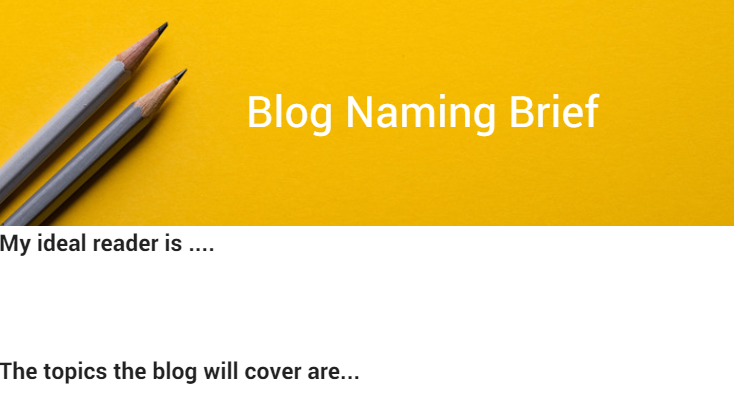 DOWNLOAD PDF PRINTABLE BRIEF Brainstorming with your tribe: You might be wondering why I dispelled the myth on brainstorming in a group and now I’m asking you to brainstorm in a group. If you are feeling hashtag confused let me clear it up first. We are not expecting you to have your Big EUREKA moment during this brainstorming session. The session is about collating research and ideas from different people. And, for helping you to feel supported and excited about this process. The Eureka 24/7 club is all about fun remember!! And brainstorming is so much more fun with other people. When it comes to the first stage of the creative process more heads are definitely better than one. Here is a step by step process you can follow to set up your session. 6 Step Naming Brainstorming Session
The Naming Fireball Game The naming fireball game is the last stage of the brainstorming session. In the fireball you go round the group and each person calls out a name. It’s about quick fire answers, write all of the names down on a whiteboard or a piece of paper. Move from one person to the next and keep going for several minutes without stopping or questioning anything that comes up. The goal is to get as many names as possible in the set time. If you are leading the fireball round and jotting down notes, make sure you include yourself in it as well, you will want a turn calling out a name. For extra points print out the sheet below and use it as a real life fireball, ask members to throw it around the circle. DOWNLOAD FIREBALL  DOWNLOAD FIREBALL Part 2: The Eureka moment Go sit on the toilet. The End. JOKE! (though it couldn’t hurt ;)) Now it’s time to step into your awesomeness as a creative genius. What we’ve done up to this point is primed your subconscious mind with lots of material and ideas for the name of your blog. The next bit is actually not about doing much at all. All you need to do is practice listening. The ideas are already there. Your big Eureka moment already exists. It’s just a question of listening and believing when it comes through. Something I like to do is read through my brief & my brainstorm notes before bed. Make sure you have a notepad close to your bedside table to capture your Eureka moment(s) when they come. If more than one name comes keep writing them down. Eventually, you will find a name that feels right. When you find it, you find it, there is no questioning. There is a feeling in the pit of your stomach that this is it and it could not be any other name. I hope this has encouraged you that your Eureka moment is close! Follow this process and believe in your own creative wisdom. Let’s end with a couple an example from one of the top entrepreneurs in the world just to show you… NAMING IS A PROCESS The Eureka moment 24/7 clubbers are in great company! 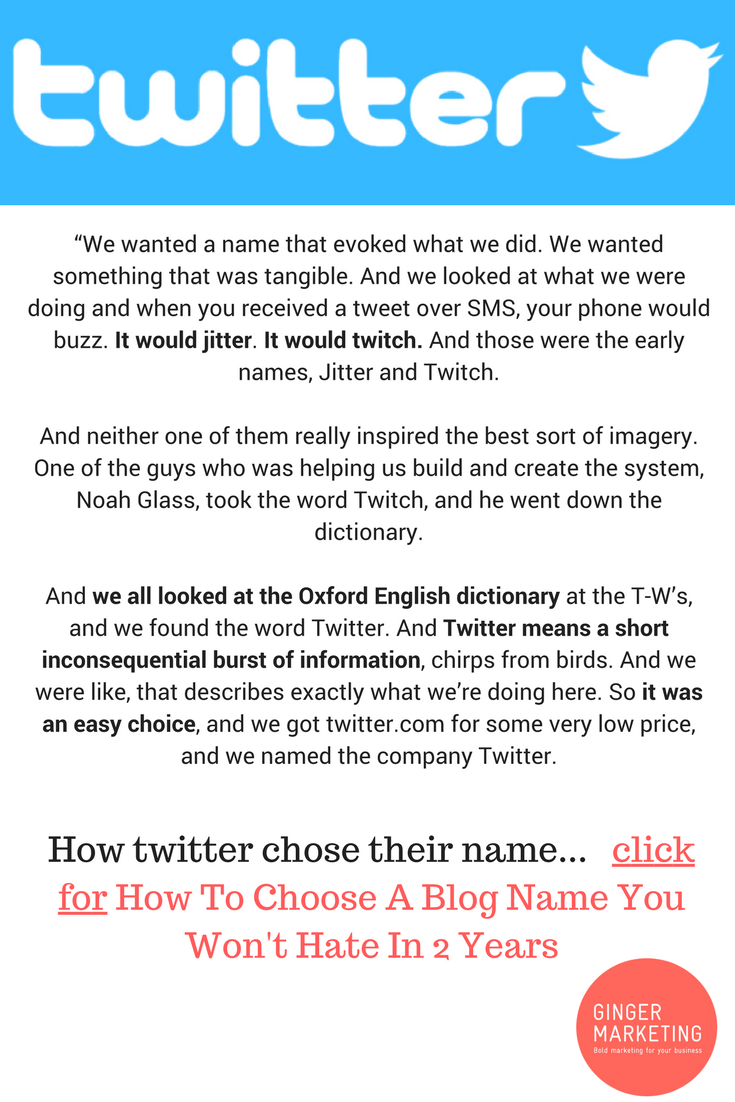 http://eepurl.com/cs41o1The Story Of How Twitter Got It’s Name
Twitter was almost called “jitter” or “twitch”. Thats right! Co-founder Jack Dorset explained in an interview, “We wanted a name that evoked what we did. We wanted something that was tangible. And we looked at what we were doing and when you received a tweet over SMS, your phone would buzz. It would jitter. It would twitch. And those were the early names, Jitter and Twitch. And neither one of them really inspired the best sort of imagery. One of the guys who was helping us build and create the system, Noah Glass, took the word Twitch, and he went down the dictionary. And we all looked at the Oxford English dictionary at the T-W’s, and we found the word Twitter. And Twitter means a short inconsequential burst of information, chirps from birds. And we were like, that describes exactly what we’re doing here. So it was an easy choice, and we got twitter.com for some very low price, and we named the company Twitter. You see! You are in great company, the biggest companies in the world go through a process as well. If you are keen to try this 2 step process download the documents in this post. OR for an easier to manage version SIGN UP HERE and we will send you an email with just the practical steps for this process & the documents you will need. It is a big time saver. SEND ME THE TWO STEP PROCESS & DOCUMENTS As usual, let us know your thoughts in the comments below. And don't forget, SIGN UP FOR MORE EPIC POST LIKE THIS IN THE FOOTER BELOW ! |
AuthorWritten by Cheryl A Clarke Chief Happiness Officer & Director Of Ginger Marketing (unless stated otherwise) Categories
All
Archives
September 2018
|

 RSS Feed
MONTHLY QUOTE
Quote Of The Month;
Go for the better user experience every time. ~ @randfish moz.com
Go for the better user experience every time. ~ @randfish moz.com